Mitsubishi mini split remote: replacement, universal and smart options
Lost your Mitsubishi mini split remote? The OEM replacement, universal remotes that work, and the wall and smart mini split thermostat options that do more than the remote.
The short answer
For a lost Mitsubishi mini split remote, the OEM replacement matched to your indoor model is the sure fix; a universal remote works on basic functions. If you want a thermostat on the wall or control from your phone, add a smart controller or the brand's wired wall controller.
- The manual button under the front panel runs the head tonight and proves the head itself still works.
- Read the indoor model number before ordering: remotes match the indoor series, and look-alike heads can differ.
- An infrared smart controller adds phone control to any brand, but it can't read error codes or real status.
On this page
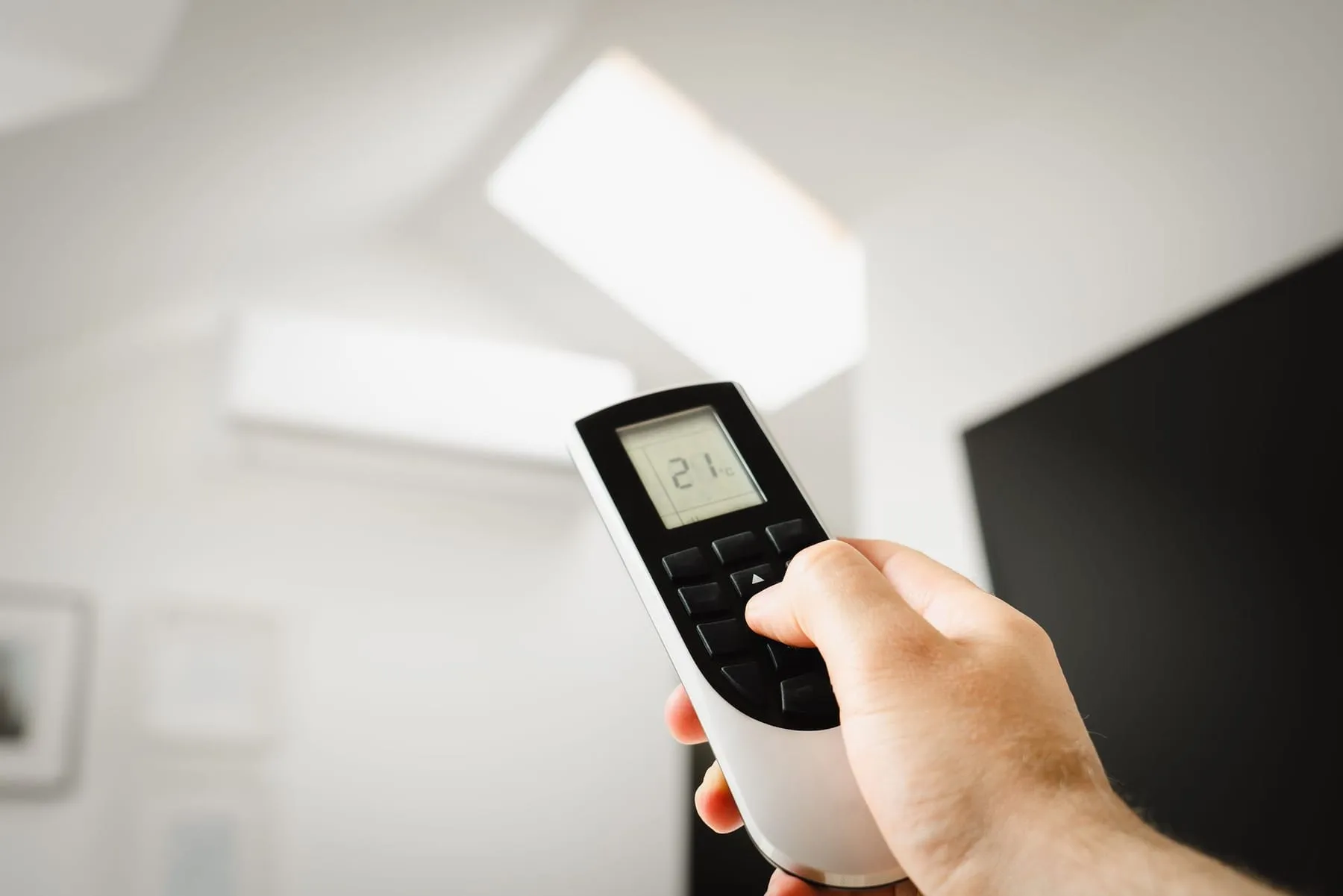
A lost or dead Mitsubishi mini split remote is a smaller problem than it feels like at 10 p.m. in July. Every wall head has a manual button under the front panel that starts it in an automatic mode, so you won’t sweat tonight. The replacement comes down to reading one model number and choosing a controller: the exact OEM handset, a universal remote, or something on the wall or your phone that does more than the remote ever did.
We use Mitsubishi as the example because it’s the most searched, but the same logic applies to Daikin, Fujitsu, Senville or any other brand. The maintenance hub holds the rest of the upkeep, and the Mitsubishi review links the brand’s support pages, where the remote and controller part numbers live.
Tonight: the manual button
Lift the front panel of the indoor head. Most Mitsubishi models have a small emergency or manual operation button on the right side near the display. One press starts the unit in an automatic or cooling mode at a fixed setpoint, and another press usually stops it. The manual for your model describes the exact behavior. It’s no way to run the unit long-term, but it gets you through the night and confirms the head itself is fine, which you’ll want to know before buying anything.
Is it the remote or the head?
Start with new batteries, even if the display lights up, because weak cells send a signal the receiver half-hears. Check line of sight, and make sure a lamp or afternoon sun isn’t flooding the receiver window. If two heads share a room, check the remote hasn’t been switched to the other unit’s address. Then point a phone camera at the remote’s emitter and press a button; most cameras show the infrared flash as a flicker. A flash with no response from the head means the receiver or the head is at fault. No flash means the remote is dead. If the head won’t respond to its own manual button either, the problem is upstream, and the not cooling guide or the error codes page is where to go next.
The OEM Mitsubishi mini split remote
This is the sure fix. Mitsubishi matches remotes to the indoor unit series, and two heads that look identical can take different handsets. Read the model number from the nameplate on the right side of the indoor head (something beginning MSZ for a wall unit), then look up the remote listed for it on the brand’s parts or support page, or ask the dealer who installed it. The OEM handset keeps every function working: the i-see sensor modes on heads that have them, vane and swing presets, the weekly timer, the quiet and powerful modes. It costs more than a universal remote, and it’s the right buy if you use any of those.
A universal remote as a stand-in
A universal mini split remote carries code tables for most major brands. You enter or auto-scan to the code for your brand and series, and it gives you power, mode, temperature, fan speed and usually basic swing. What it generally won’t give you are the brand-specific extras: sensor-based modes, vane memory positions, named quiet modes, and the weekly schedule. For a rental, a workshop head, or a stopgap while the OEM remote ships, it’s fine. For a bedroom head where you use quiet mode every night, it’ll annoy you.
A mini split thermostat on the wall or your phone
Most mini splits ship with a handset, and it’s the most common complaint about living with one. It gets lost, it reads the temperature at the head near the ceiling rather than where you sit, and you can’t schedule it from the office. A mini split thermostat fixes that, and it comes in two kinds.
Infrared smart controllers. A small device sits in the room, learns or looks up your remote’s infrared codes, and sends them on command from an app, a schedule or a voice assistant. Sensibo and Cielo are the two names you’ll see most. They work with essentially any brand because they’re a very clever remote. They add a temperature sensor where you sit, plus scheduling, geofencing and usage history. The limitation is that they talk at the head, not with it. If someone changes the setting with the handset, the controller may not know, and it can’t read error codes or the unit’s real state.
The brand’s own controllers. Mitsubishi offers a Wi-Fi adapter, run from its Comfort app (the replacement for Kumo Cloud), that plugs into the head’s control port for app control that knows the unit’s real state, and a wired wall controller (the MHK2) that turns the head into something that looks and behaves like a conventional thermostat on the wall. Other brands have equivalents. They cost more, and some need a tech to install them, since the adapter goes inside the head. In return you get accurate status, proper scheduling and, with the wall controller, room temperature measured at human height rather than at the ceiling.
A mini split thermostat can’t be a conventional 24-volt thermostat wired to the head; the head doesn’t speak that language without a third-party interface box. Nor will any controller fix a unit that’s the wrong size. A head that short-cycles will do it on every controller, and if you’re still shopping, the size calculator settles that before any remote does.
Matching the controller to what you want
| You want | Buy |
|---|---|
| Everything working exactly as shipped | The OEM remote for your indoor model |
| Something cheap, now, for basic control | A universal remote |
| Phone control and schedules on any brand | An infrared smart controller |
| A real thermostat on the wall, accurate status | The brand’s wired wall controller or Wi-Fi adapter |
| To stop losing it | A wall holder by the door |
Tomorrow morning, before you order
Put fresh batteries in and run the phone-camera test. If the remote is dead, read the model number off the right side of the head first. Buy the OEM remote if you use the brand’s special modes, a universal if you don’t, and add a smart controller or the brand’s wall controller if what you wanted all along was a thermostat. The Mitsubishi review links the support pages where the right part numbers are listed by model.
Parts you’ll need
- Check price on Amazon
OEM Mitsubishi replacement remote
The exact handset for your indoor model keeps every mode, vane preset and timer working as designed.
- Check price on Amazon
Universal mini split remote
A cheap stand-in for any brand that covers on, off, mode, temperature and fan while you wait for the real thing.
- Check price on Amazon
Smart Wi-Fi mini split controller
Sits in the room, mimics the remote over infrared, and adds phone control, schedules and room sensing for any brand.
- Check price on Amazon
Brand wired wall controller
Plugs into the head's control port for a proper wall thermostat that reads the unit's real state.
- Check price on Amazon
Remote wall holder
A clip by the door so the remote stops disappearing into the sofa.
Questions people ask
Can I replace a Mitsubishi mini split remote with a universal one?
For on, off, mode, temperature and fan speed, usually yes, once you find the right code from the universal remote's list. Brand-specific features such as i-see sensor modes, vane presets, weekly timers and some quiet modes often don't carry over. If you use those, buy the OEM remote for your indoor model.
How do I find the right replacement remote for my mini split?
Read the model number from the nameplate on the right side of the indoor head, then search the manufacturer's parts or support page for the remote listed for that model. Remotes are matched to the indoor unit series, not the outdoor unit, and two heads that look alike can take different remotes.
Can I use a regular thermostat with a mini split?
Not directly. A mini split indoor head speaks its own control protocol, not the 24-volt wiring a conventional thermostat uses. You need either the brand's own wired wall controller, which plugs into the head's control port, or a smart controller that talks to the head over infrared and to you over Wi-Fi.
What is the best smart thermostat for a mini split?
Two kinds work. Infrared smart controllers (Sensibo and Cielo are the common names) sit in the room, mimic the remote, and add scheduling and phone control for any brand. The brand's own wired or Wi-Fi controller, such as Mitsubishi's Wi-Fi adapter (run from the Comfort app, formerly Kumo Cloud) or the MHK2 wall controller, reads the unit's real state and costs more.
Why does my mini split not respond to the remote?
Batteries first, even if the display lights up; weak cells send a signal the head half-receives. Then line of sight, a bright lamp or sunlight on the receiver, and a remote accidentally set to a different unit address on a two-head room. If the head responds to its own manual button and not the remote, the remote is the fault.
What replaced Kumo Cloud?
Mitsubishi's Comfort app. Mitsubishi introduced it in December 2025 as the replacement for Kumo Cloud, and on most phones the old app updated to Comfort in place. It works with the same Wi-Fi adapter in the indoor head. If you'd rather skip the brand app, an infrared controller such as Sensibo or Cielo is the usual alternative, with less detail on the unit's real state.
Reader-supported. If you buy through a link on this page we may earn a commission, at no cost to you. How that works.